Alphabet Sprint ↗
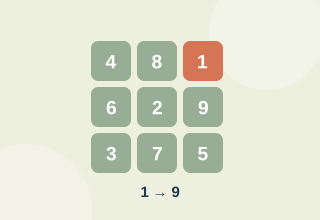
Select the displayed letters in alphabetical order.
Type an original passage and measure your speed and accuracy.
Enable JavaScript to play. Instructions remain available below.
Read the current rule before reacting. Device latency, input method, distractions and familiarity can all change a result. For fairer comparisons, use the same device and avoid treating a score as a diagnosis.
This is a recreational attention activity. Results describe performance on this particular task, with this device and these rules. They are not a clinical assessment, IQ score or promise of improvements in daily life. Your best result and recent sessions stay in this browser; no account is required.
Yes. You can play the full activity without a payment, download or account.
Use Tab to focus buttons and Enter or Space to activate them. Answer fields accept normal typing. The maze also supports arrow keys. Timed tests will differ between touch, mouse and keyboard input.
Practice, a different generated puzzle, distractions and input timing all affect results. Compare several sessions rather than drawing a conclusion from one attempt.